One click to export up to 50,000 comments on a LinkedIn post, Enrich Email with Email Finder API, save to CSV, Excel and JSON files.
Get started - it's free






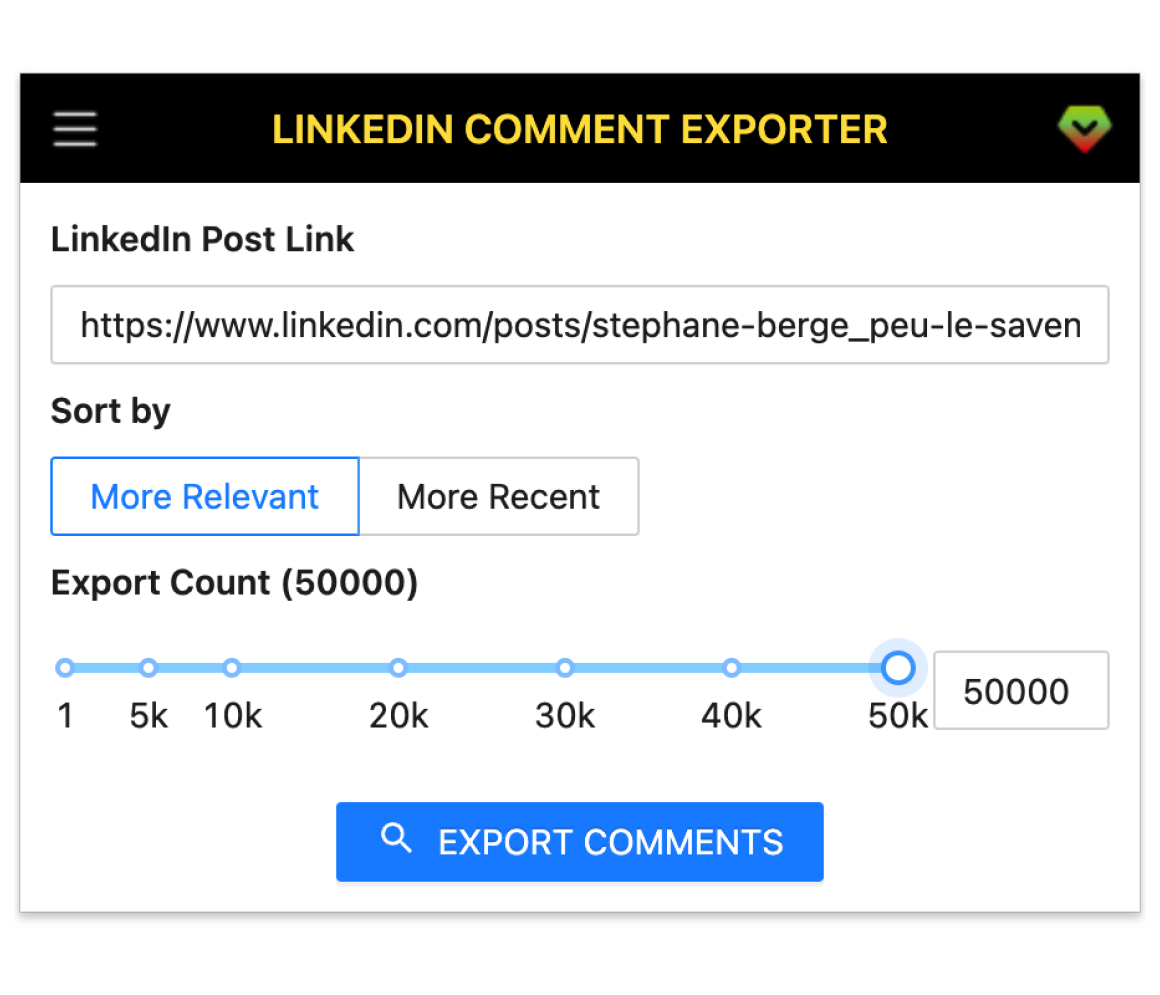
A smart tool to generate leads on LinkedIn by exporting all commenters with email on a LinkedIn post.
Extract up to 50k comments from any LinkedIn post.
Enrich commenters with Email Finder APIs (Apollo, Hunter, Snov, Datagma, etc.).
Works on user posts and LinkedIn group feeds.
Sort comments by Relevant or Recent before exporting.
Save results as CSV, Excel, or JSON files.
Get started in a few simple steps.
Add LinkedIn Comment Exporter to your browser in seconds.
Copy the LinkedIn post URL, then click Export in the extension.
Save to CSV, Excel, or JSON and continue later from history.
How teams use LinkedIn Comment Exporter in their daily workflow.
Find engaged prospects on competitor or industry posts and enrich emails for outreach.
Export candidate lists from comment threads on hiring and community posts to CSV/Excel.
Capture commenters from group feeds to follow up, invite, or analyze conversation quality.
Turn post engagement into a warm email list by enriching and deduplicating contacts.
Collect qualitative feedback from comment threads and organize insights for your roadmap.
Bulk export to segment audiences, measure campaign impact, and track engagement cohorts.
Fields included in exported datasets.
| Field | Description | Example |
|---|---|---|
| Public Identifier | Member's LinkedIn public handle (vanity name). | john-doe-123456789 |
| Profile Link | Direct URL to the member profile. | https://www.linkedin.com/in/john-doe-123456789/ |
| Profile ID | Internal member ID (URN id). | ACoAAA12BC3D4EFG |
| Sales Nav Link | Sales Navigator profile URL (if accessible). | https://www.linkedin.com/sales/people/ACoAAA12BC3D4EFG |
| First Name | Member's given name. | John |
| Last Name | Member's family name. | Doe |
| Full Name | Member's full name. | John Doe |
| Subtitle | Headline shown under the name. | Head of Growth at Acme |
| Picture URL | Profile avatar image URL. | https://media.licdn.com/dms/image/C4D03AQ... |
| Open To Work | Whether the member is marked as open to work. | true |
| Degree | Highest education degree if available. | Bachelor's |
| Industry Name | Primary industry of the member. | Information Technology & Services |
| Summary | About/summary section. | B2B growth marketer focused on SaaS. |
| Skills | Top skills or extracted skills list. | SEO; SEM; Content Marketing |
| Certifications | Selected certifications. | HubSpot Inbound; Google Analytics |
| Projects | Highlighted projects if available. | Launch X; Campaign Y |
| GEO Location Name | Member's location label. | San Francisco Bay Area |
| GEO Country Name | Country derived from location. | United States |
| Prefer Country Code | Preferred/normalized ISO country code. | US |
| Prefer Language Code | Preferred language code. | en |
| Birth Date | Birth date if visible. | 1992-05-18 |
| Is Creator | Creator mode status. | false |
| Is Influencer | Verified influencer flag if any. | false |
| Is Premium | Premium/LinkedIn Premium indicator. | true |
| Comment Url | Deep link to the specific comment. | https://www.linkedin.com/feed/update/urn:li:activity:.../?commentUrn=urn:li:comment:... |
| Comment Text | Raw text of the comment. | Great insights! |
| Like Count | Number of likes on the comment. | 42 |
| Comment Count | Number of replies to the comment. | 3 |
| Is Reply | Whether this comment is a reply to another comment. | false |
| Is Author | Whether commenter is the original post author. | true |
| Comment Time | Timestamp of when the comment was posted. | 2025-10-23T12:34:56Z |
| Company Name | Current company from experience. | Acme Inc. |
| Job Title | Current title from experience. | Growth Manager |
| Employment Type | Employment type if specified. | Full-time |
| Company Industry | Industry of the company. | Software Development |
| Company Location | Company HQ/location. | San Francisco, CA, United States |
| Job Date Range | Start–end dates of current role. | Jan 2022 – Present |
| Company Employee Count | Company size range. | 201-500 |
| Company ID | LinkedIn company internal ID. | 1234567 |
| Company Universal Name | Company vanity/universal name. | acme |
| Company URL | Company profile link. | https://www.linkedin.com/company/acme/ |
| School Name | School or university name. | MIT |
| Degree Name | Degree name from education. | B.S. |
| Field Of Study | Major/field of study. | Computer Science |
| Education Date | Education period. | 2016 – 2020 |
Where you can get answers to common questions about LinkedIn Comment Exporter
You don’t have to take our word for it
I used to manually copy commenters to build outreach lists. Now I export in minutes and enrich emails automatically—my daily prospecting time dropped by half.
Michael
Sales Assistant
Perfect for campaign follow‑ups. We grab engaged commenters from competitor posts, enrich contacts, and push CSV/XLSX straight into our CRM.
Jessie
Marketing Manager
The Relevance/Recent sort support is gold. My team exports the warmest comments first and books more meetings with less manual effort.
Priya
SDR Team Lead
Hiring threads are full of qualified talent. Exporting commenters with profiles saves hours every week and keeps our pipeline fresh.
Alex
Technical Recruiter
I turn lively group discussions into actionable member lists. Easy CSV exports make follow‑ups and event invites painless.
Lina
Community Manager
Great for early customer discovery. We identify problems people mention in comments, then contact them for interviews and pilots.
Marco
Founder, SaaS
The email enrichment plus history resume feature lets us run large exports safely and keep experiments moving without starting over.
 Sofia
Growth Marketer
Sofia
Growth Marketer
JSON export is super clean. I segment audiences, track cohorts by post, and prove impact with clear dashboards.
 Ethan
Data Analyst
Ethan
Data Analyst
Export up to 50k comments, enrich emails, and download CSV/XLSX/JSON. Works on posts and group feeds.
7-day money-back guarantee. Your data stays on your device.